Assets Feature
Managing corporate video evidence and tracking hardware accountability shouldn't be two separate manual jobs. When security footage from a body cam or a stationary surveillance camera needs to be reviewed as part of an investigation, finding out who was responsible for that specific device at that moment can create a massive operational bottleneck.
To solve this, we are excited to launch our new Assets Feature.
The Solution: Import your entire camera inventory, link devices to specific company units and employees, and upload video files. The moment you tag a camera in a case, the system automatically assigns tasks to the responsible personnel on autopilot.
How It Works & Key Capabilities
1. Bulk Asset Import & Hierarchy Mapping
You don’t need to manually log every piece of hardware. Ethicontrol can perform a bulk spreadsheet import to populate the global Assets Directory:
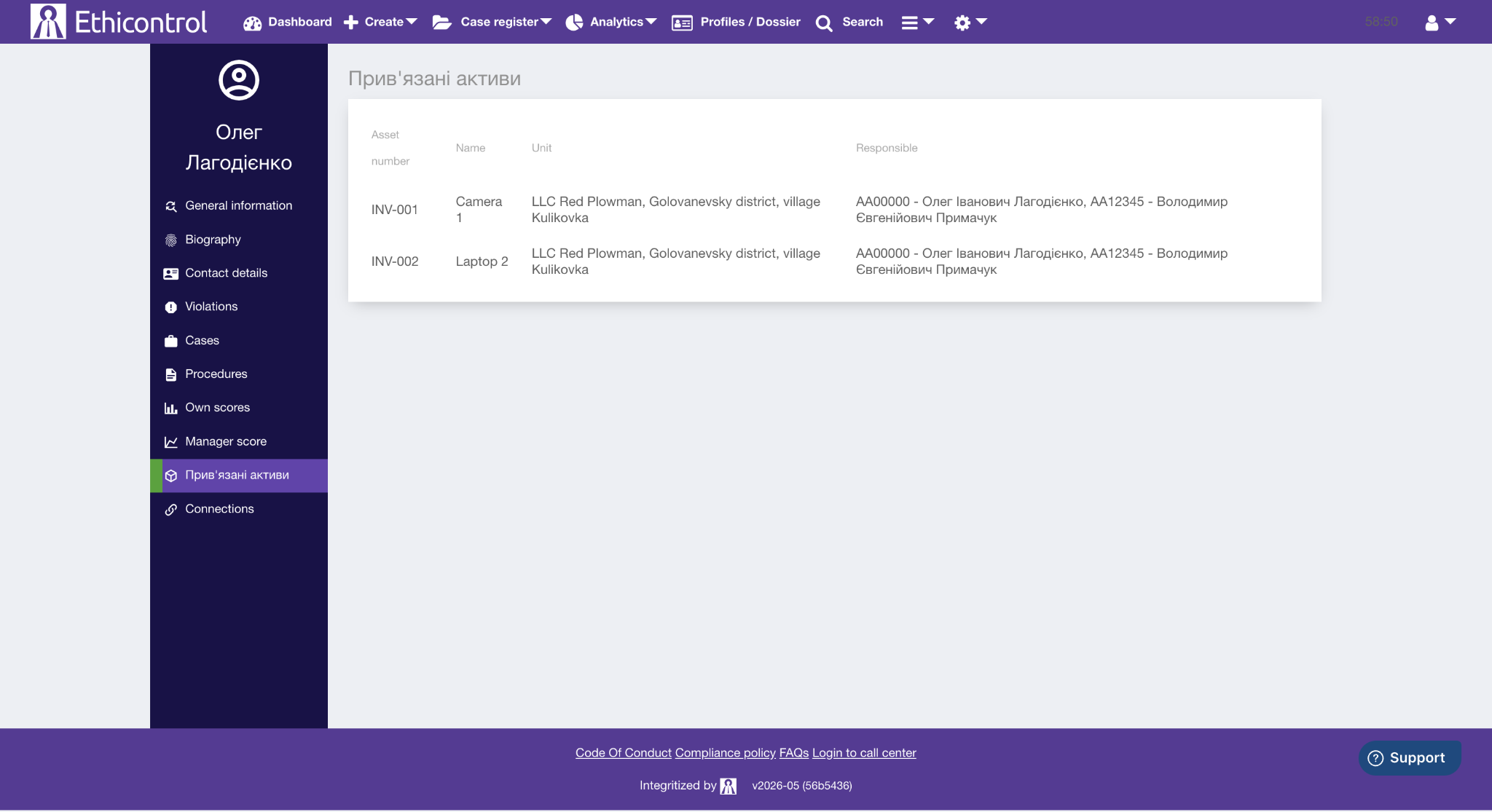
Unit Mapping: Every camera or device is tied directly to its specific operational department or location.
Accountability Mapping: You can assign one or multiple responsible employees to each asset.

2. Uploading Video Footage & Selecting Cameras
When an incident is logged, investigators can seamlessly upload files as materials or evidence documents.
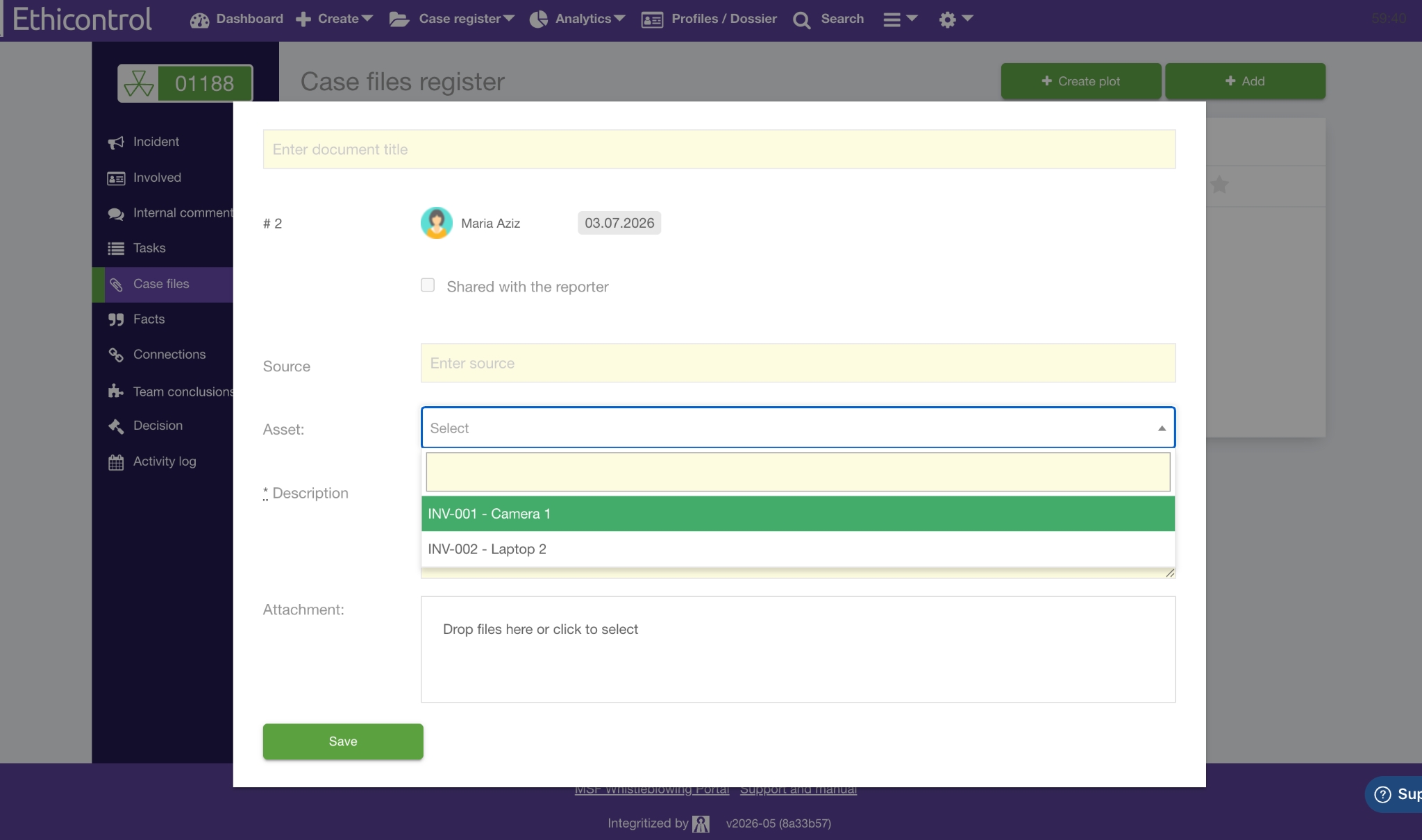
A dedicated selector allows the user to choose the exact camera (e.g., Camera 1 / Body cam) that captured the footage.
The system instantly matches the document, the video, and the asset metadata behind the scenes.
3. Hands-Free Automated Tasking
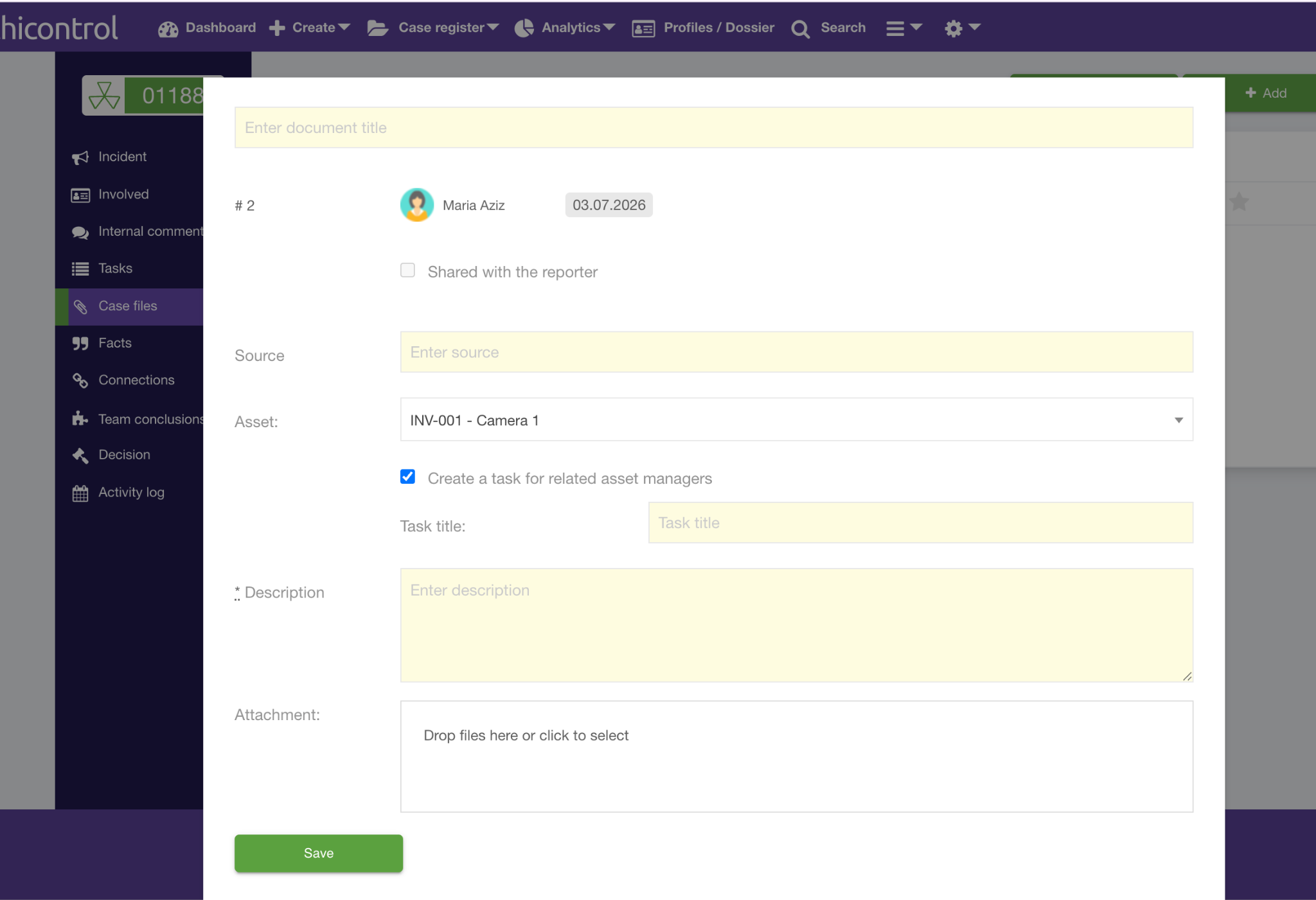
The core power of this update is removing the middleman from task assignments. The exact second an unrestricted document with an attached video/camera is saved:
The system triggers a smart automation workflow.
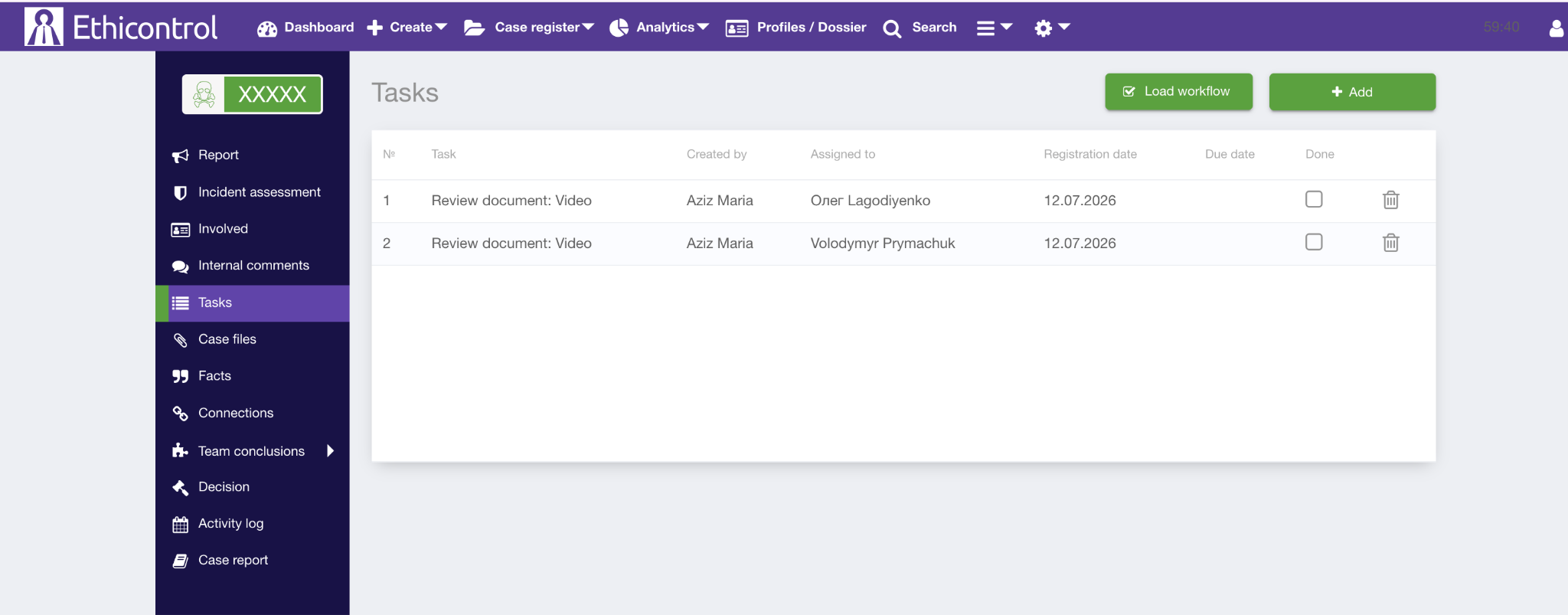
It automatically identifies the camera responsible.
Instant Action: Actionable tasks are created instantly in their workspace, alerting them that an incident involving their assigned equipment requires immediate attention.
360° Visibility in User Dossiers
Accountability is built directly into the user interface. When viewing an employee’s profile, a dedicated view displays all cameras and assets they are currently responsible for. This ensures compliance and HR teams have instant context regarding device ownership during reviews.