
Incident impact/severity and related automations Feature
In incident management, speed and prioritisation are everything. When a new case lands on your platform, your team needs to know its potential blast radius instantly. Treating a minor policy slip-up with the same urgency as a critical data breach creates noise, fatigue, and delayed response times.
To help your organisation triage incidents effectively, we are excited to introduce the Incident Impact/ Severity, complete with smart automation triggers.
Standardised, Colour-Coded Impact Matrix
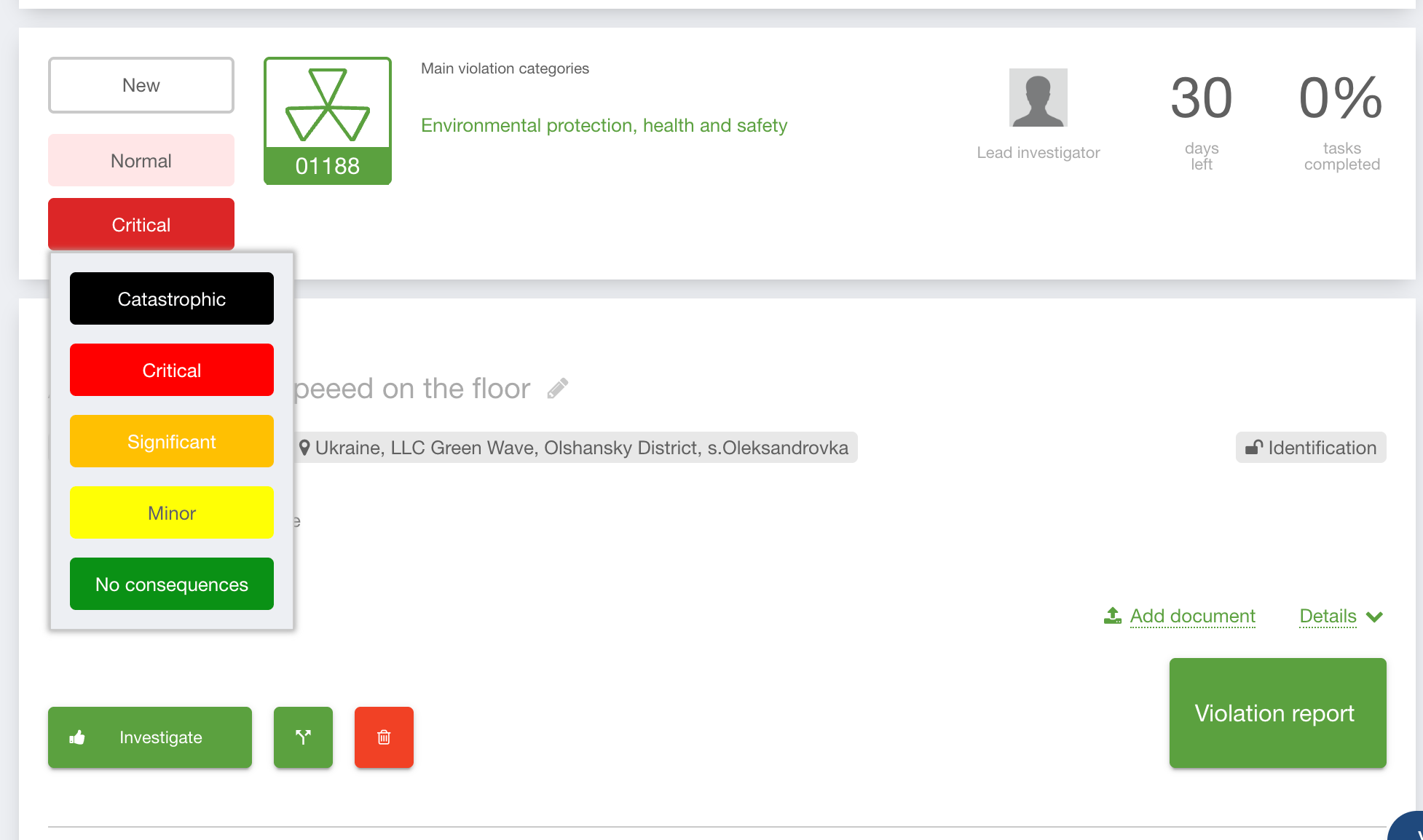
We’ve introduced a dedicated Incident Impact Selector directly inside the case view. Rather than letting users guess severity levels, the platform now enforces a standardised dictionary configured at your organisation level.
Visual Clarity: Every severity level (e.g., Critical, Medium, Undefined) can be assigned custom text colours, background colours, and hover effects to make high-risk cases pop out instantly on your dashboard.
Smart Defaults: Admins can define a single default value (like Undefined) that applies automatically to new cases until the category rules or a case manager updates it.
Clean Dropdowns: Only severity options with assigned sorting orders will appear in your team's dropdown menus, keeping the interface clean.
Category-Driven Impact Automation
Manually assessing the severity of every single report is slow and prone to human error. With this release, the case category drives the case impact.
When an intake officer or user selects or changes a case category/sub-category, the system runs it through your custom rules matrix and automatically updates the incident impact behind the scenes.
Smart Conditions: The automation can detect specific shifts—for example, if changing the category automatically escalates the impact to "Critical".
Automated Informing: The engine instantly fires off an email notification using a dedicated template to specific roles, such as the Case Manager, ensuring an immediate response to high-priority issues.
Granular Access Control & Manual Overrides
While automation handles the heavy lifting, authorised team members may still need to manually adjust severity during an investigation.
Only specific, authorised roles will be granted with the updating of the impact.
Without this explicit permission, the selector remains loc.
