
The whistleblowing portal allows reporters to use a verified email address or phone number to access their feedback and reporting portal.
When a non-anonymous reporter verifies their contact details, the system can identify the Reporter profile connected to that email address or phone number and link relevant submissions to the same profile.
Before you begin
Phone- or email-based access is available for reporting channels where the reporter provides their contact details.
Depending on your organisation’s reporting form, you may be able to choose:
Email
Phone
Anonymous reports that do not contain verified contact information are handled separately.
How to verify your email or phone number
When submitting a report through an identified reporting channel:
1. Select your preferred identification method — Email or Phone.
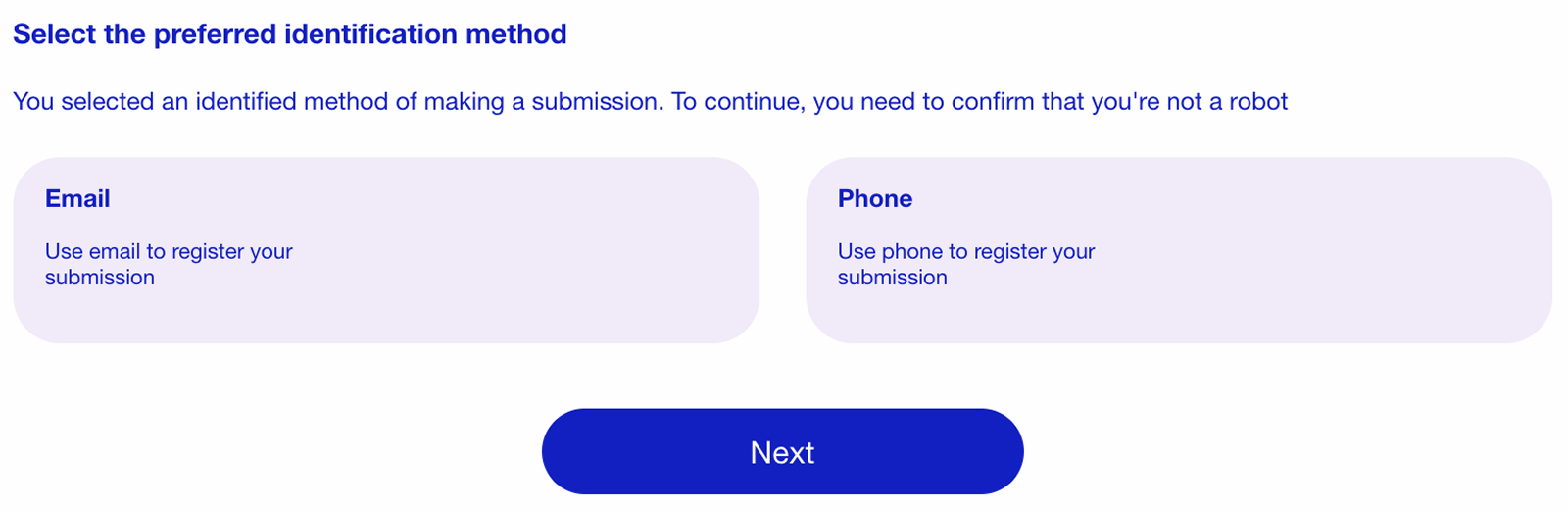
2. Enter your email address or phone number.
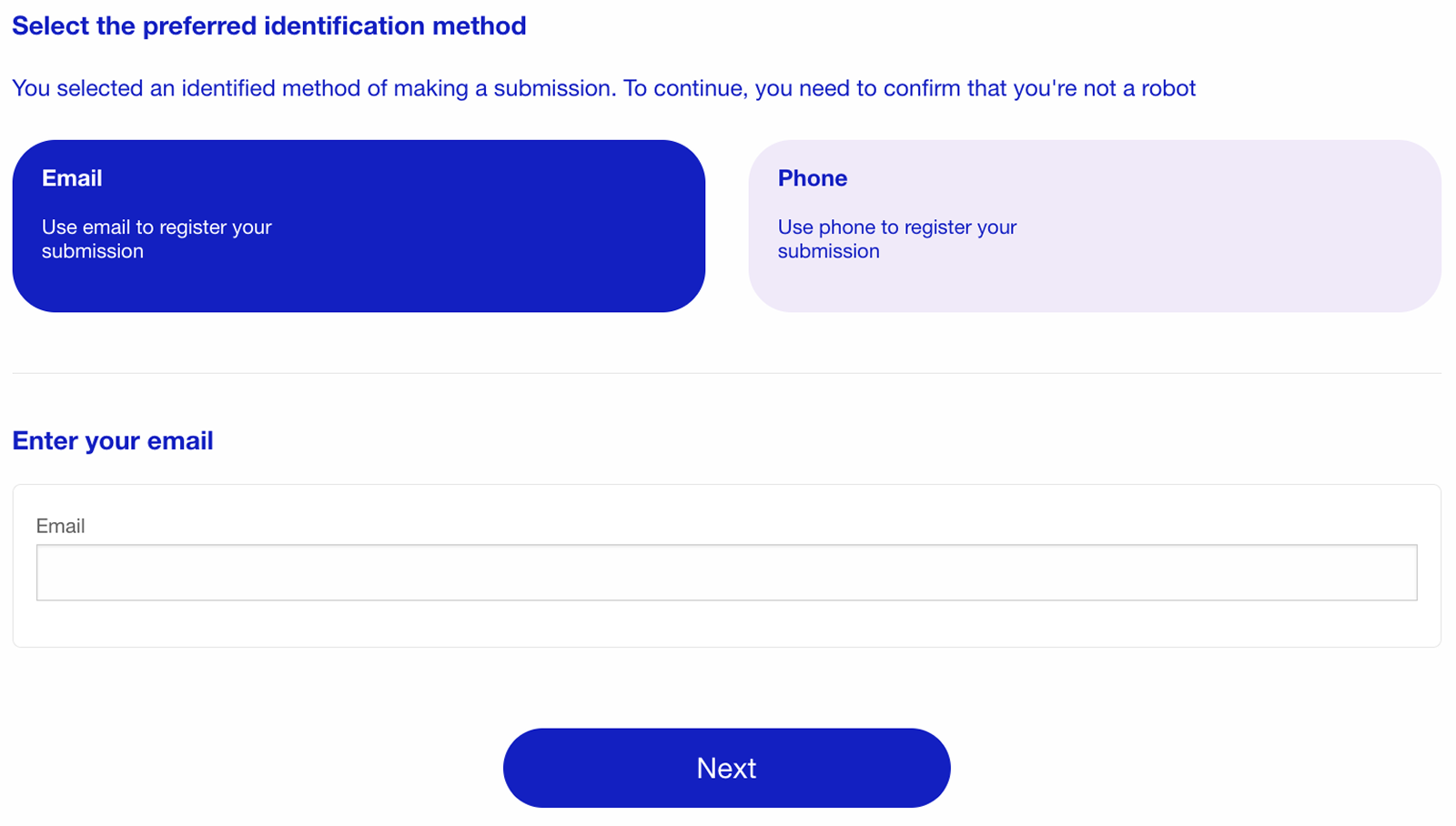
3. Click Next.
4. The system sends a verification code to the selected contact method.
5. Enter the verification code in the Code field.
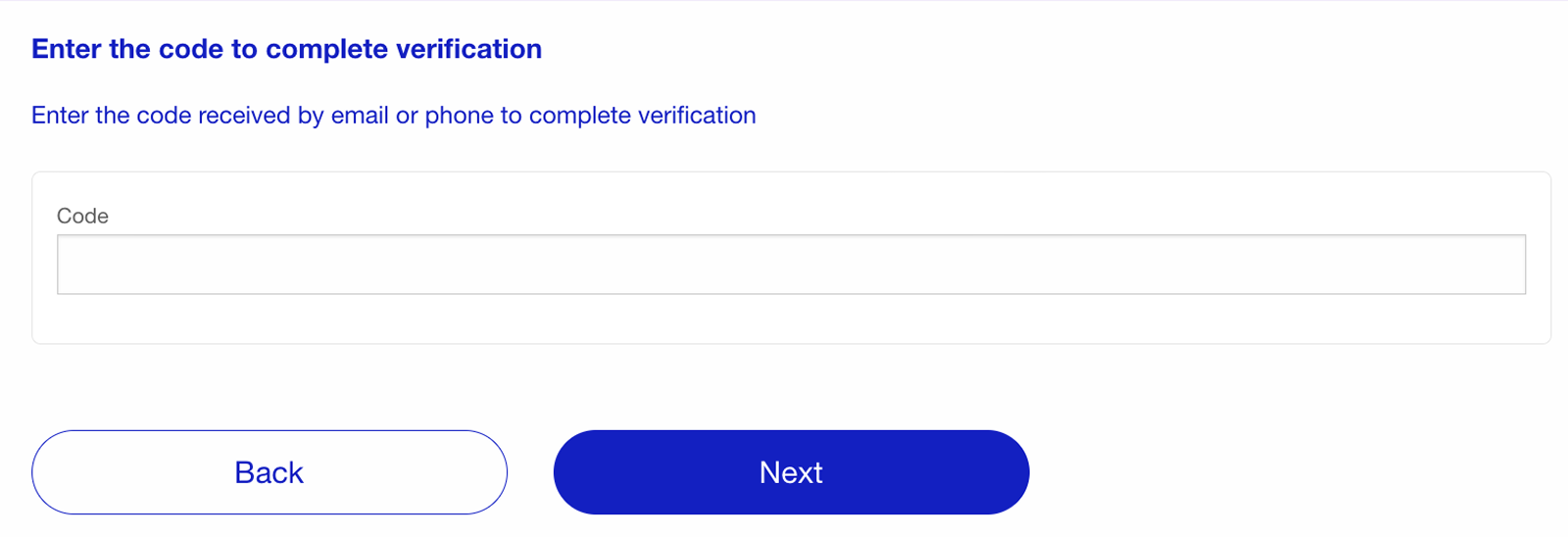
6. Click Next to complete the verification.
Once the code is confirmed, the system verifies that the email address or phone number belongs to you.
What happens after verification
After successful verification:
the system identifies or creates the Reporter profile associated with the verified contact;
the new submission is linked to that Reporter profile;
relevant reports and feedback can be associated with the same reporter instead of being treated as completely separate records;
notifications can be sent using the verified contact method when supported by the reporting workflow.
This allows reporters who submit more than one report to use the same verified contact details across their interactions with the whistleblowing portal.
Access all your reports in one place
After signing in with your verified email address or phone number, you can access reports linked to your Reporter profile through the Unified Feedback room.
Learn how to view your reports, switch between submissions, check updates, and continue communication in our Unified Feedback room article.
Notifications
The portal uses the verified contact information to support notifications related to the reporter’s submissions.
Depending on the organisation’s configuration and the selected contact method, notifications may be sent to the verified:
email address;
phone number.
Verification helps ensure that notifications are sent to the correct reporter.
Multiple reports from the same reporter
When the same verified email address or phone number is used again, the system can link the new submission to the existing Reporter profile.
This means that a reporter does not need to be treated as a completely separate person for every new identified submission.
The reports themselves remain separate cases, while the Reporter profile provides the connection between them.
Troubleshooting
I did not receive the verification code
Check that:
the email address or phone number was entered correctly;
the message has not been filtered into the spam or junk folder;
your phone can receive messages;
If the problem continues, request a new code if this option is available or contact the organisation responsible for the reporting channel.
The verification code is not accepted
Make sure that:
you entered the complete code;
the code has not expired;
you are using the code sent for the current verification attempt.
If necessary, request a new verification code.
My previous reports are not linked
Reports can only be associated with the same Reporter profile when the system can verify the same contact information.
Make sure you are using the same verified email address or phone number that was used for your previous identified submissions.
Notes
Email- and phone-based verification applies to reporters who provide identifiable contact information.
The verified contact is used to identify the Reporter profile and support the relevant notification flow.
Separate submissions remain separate reports even when they are linked to the same Reporter profile.
Available identification and notification methods depend on the reporting channel configuration.
Anonymous reporting remains separate from this verified contact flow.